Set up automation settings
Once your responses are created, you can refine how they are sent using the automation settings offered by Echow.
Introduction
Once your responses are created, you can refine how they are sent using the automation settings offered by Echow. In this article, you will learn how to set the status (Live, In Progress, Scheduled), activate the “reaction mission” feature (automatically liking the user’s story), set delays, or even determine a limit to avoid spam.
Before You Begin
Make sure you have already created a response
1. Go to the “Automation” Page
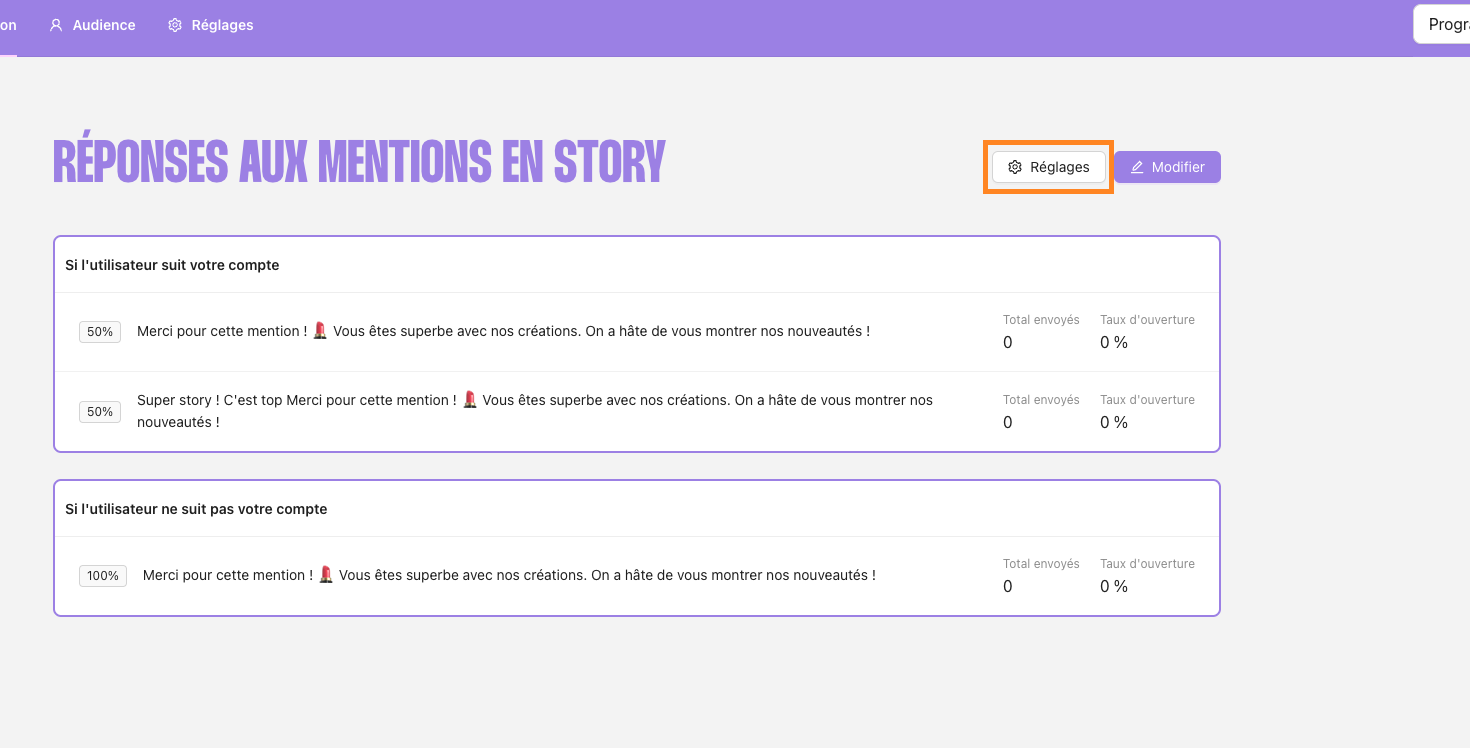
Log in to your Echow interface and go to the “Automation” page of the profile of your choice
Click on “Settings”
2. Choose the Automation Status
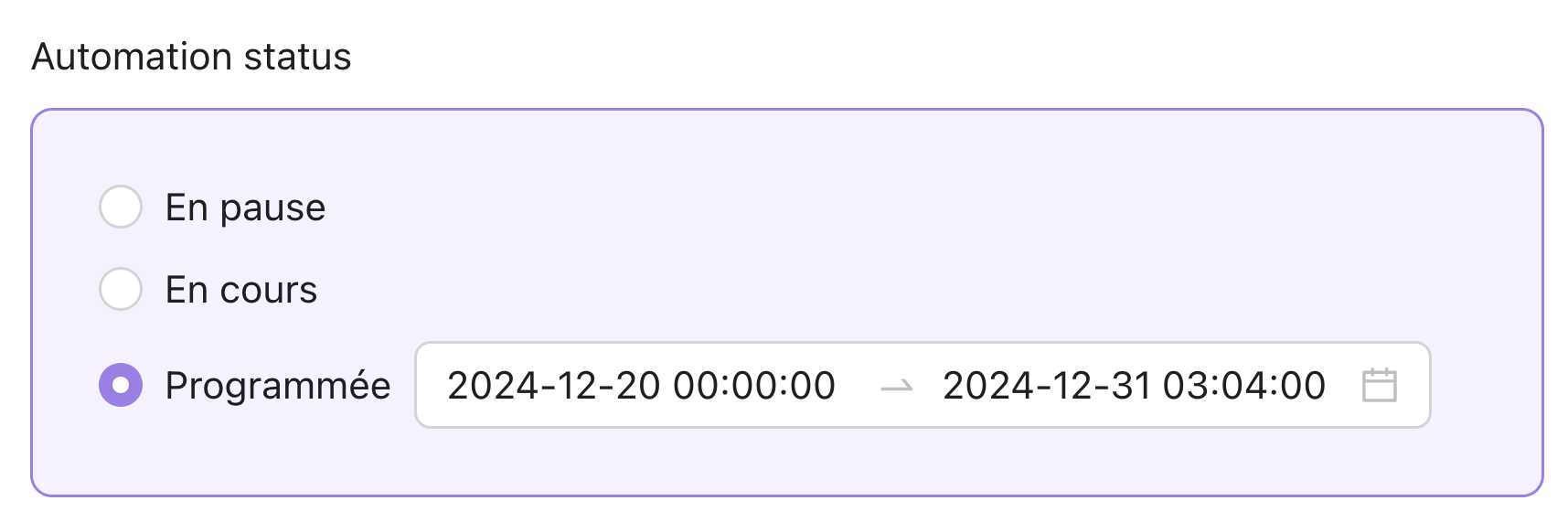
Echow offers several statuses:
Live: Responses are active immediately.
In progress: Responses are not yet sent, useful for testing or refining.
Scheduled: You can set a date or time slot for activation.
3. Automatically like the story
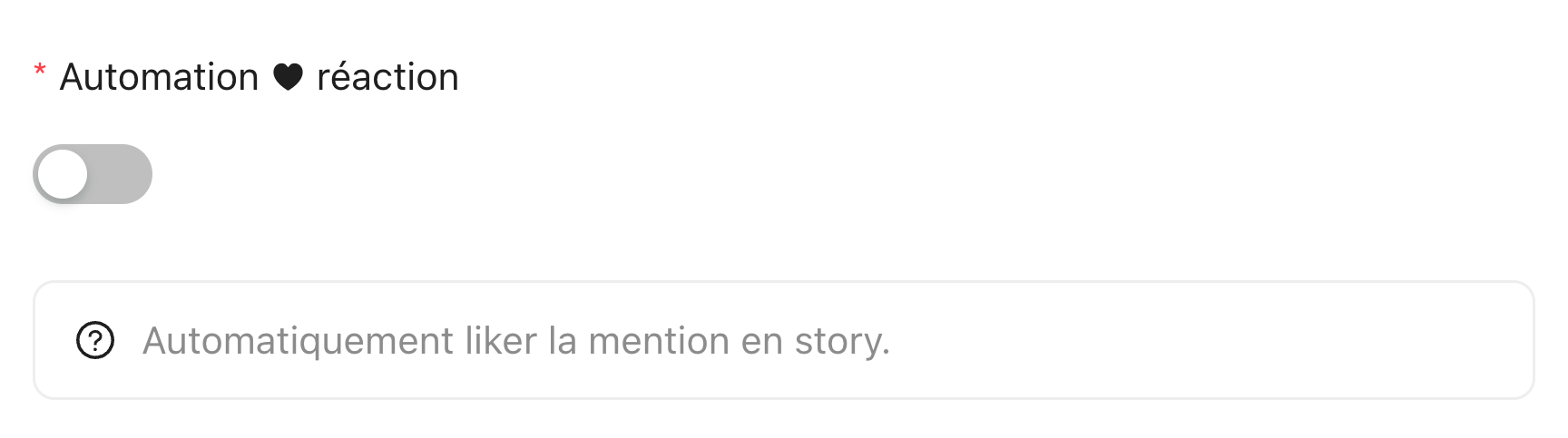
By enabling “Automation reaction,” Echow:
Will automatically “like” the user’s story before sending the message.
Creates a sense of closeness, showing that you have genuinely reacted to the mention.
4. Set response delays and limits
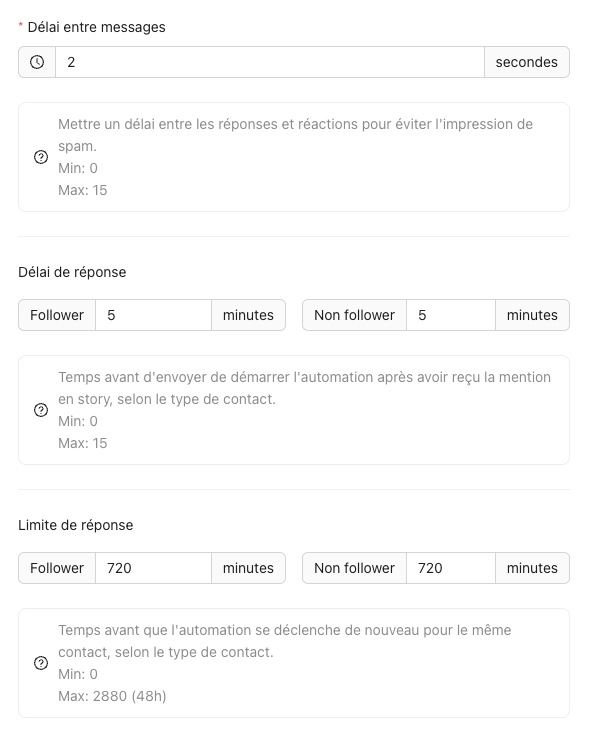
Delay between messages
Set the time interval (between 0 and 15 seconds) between sending different parts of a response (e.g., a text followed by an image). The goal is to avoid an instant mass send.
Response delay
Specify the time to wait (between 0 and 15 minutes) between the mention in the story and sending your message. A delay of 0 seconds feels very “robotic,” while a delay that’s too long might make the mention lose its relevance.
Response limit
Choose the maximum number of responses a user can receive within a given period. If a fan mentions you 5 times in a row, you can decide to send them only one response within a span of X minutes/hours.
Conclusions

These settings allow you to control when, how often and the format of your automated responses:

Delays: Avoid the “spam” effect and make your sending more natural.

Response limit: Prevent excessive repetition in case of multiple close mentions.